
Duplicates“twins”
The same shot saved twice — shared back to you, re-downloaded, or burst-fired. Perceptual hashing catches them even when the files differ.
100% on-device
SwipeDrop finds the duplicates, blurry shots, screenshots and forgotten videos clogging your camera roll — then lets you clear them the way you scroll. Swipe left to drop, right to keep. Not one photo ever leaves your phone.

IMG_4821
4.6 MB · 4032 × 3024
Nothing queued yet
9
kinds of clutter found automatically
0
photos uploaded, ever
1 tap
to clear an entire reviewed batch
3-day
free trial on everything
Where you start
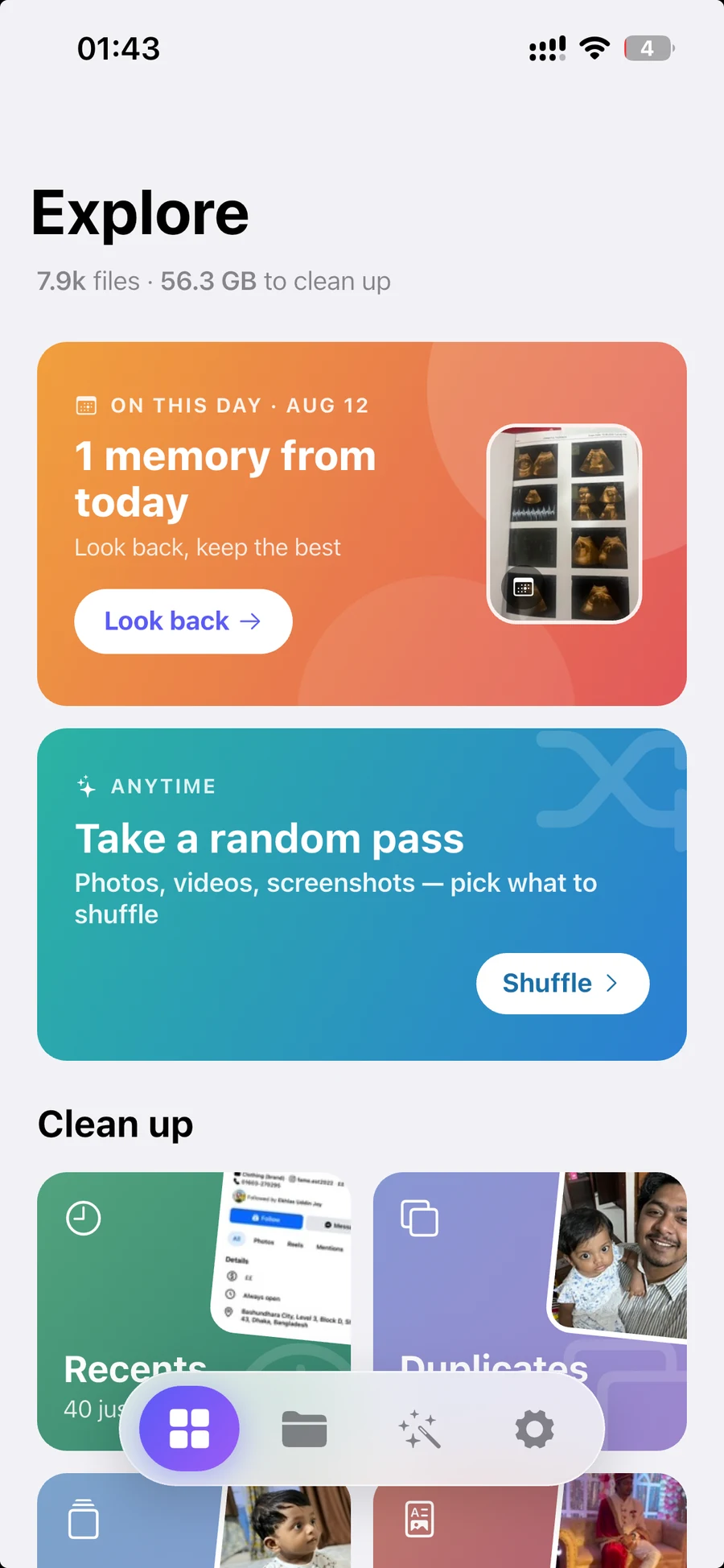
Open the app and your library is already triaged. Every pile shows how many photos are in it and roughly how much space clearing it would give you back — so you can spend your ten minutes where it counts.
How it works
The whole design assumes you'll change your mind. Swiping only stages a decision — deleting is a separate, deliberate step you take when you're ready.
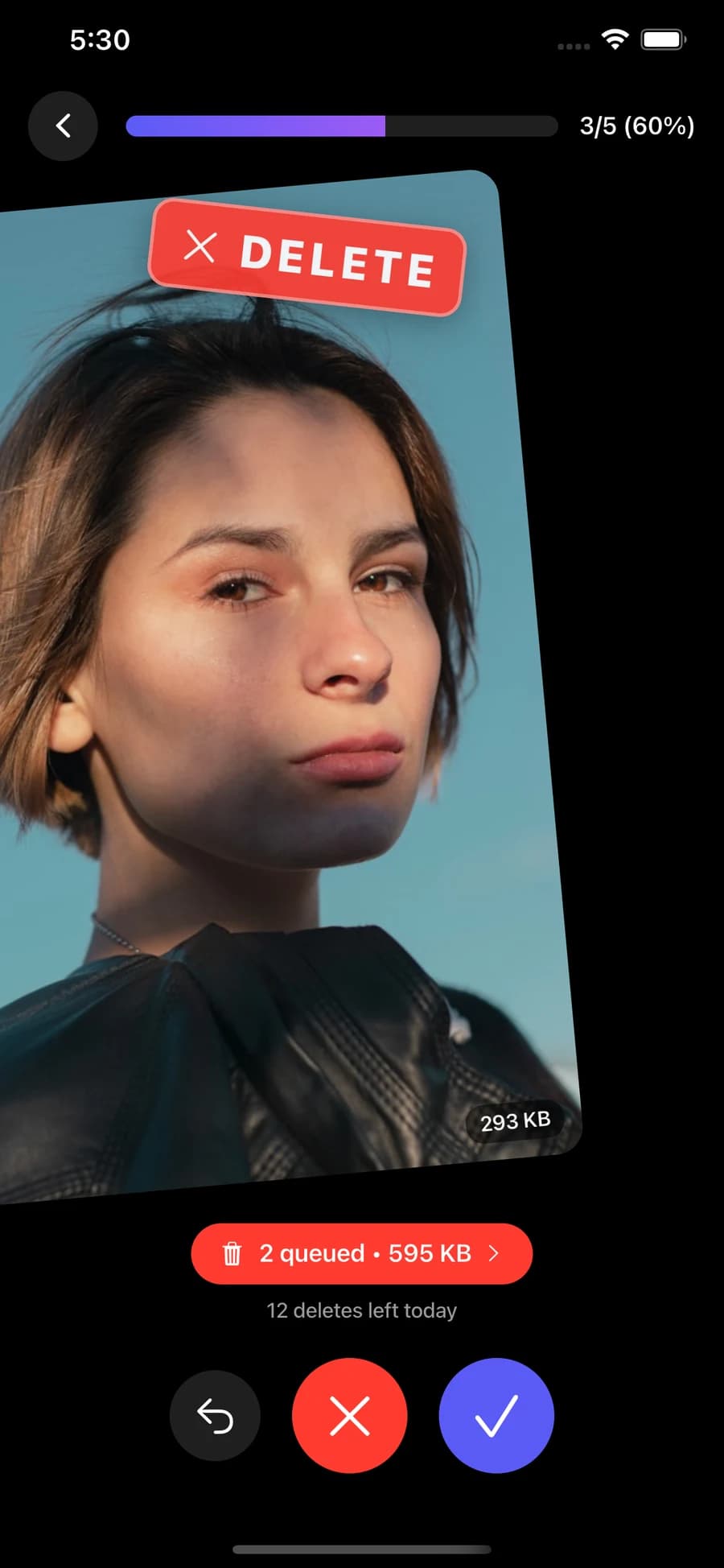
Left drops it, right keeps it. One photo at a time, no menus, no checkboxes. Change your mind and undo — the last card comes right back.
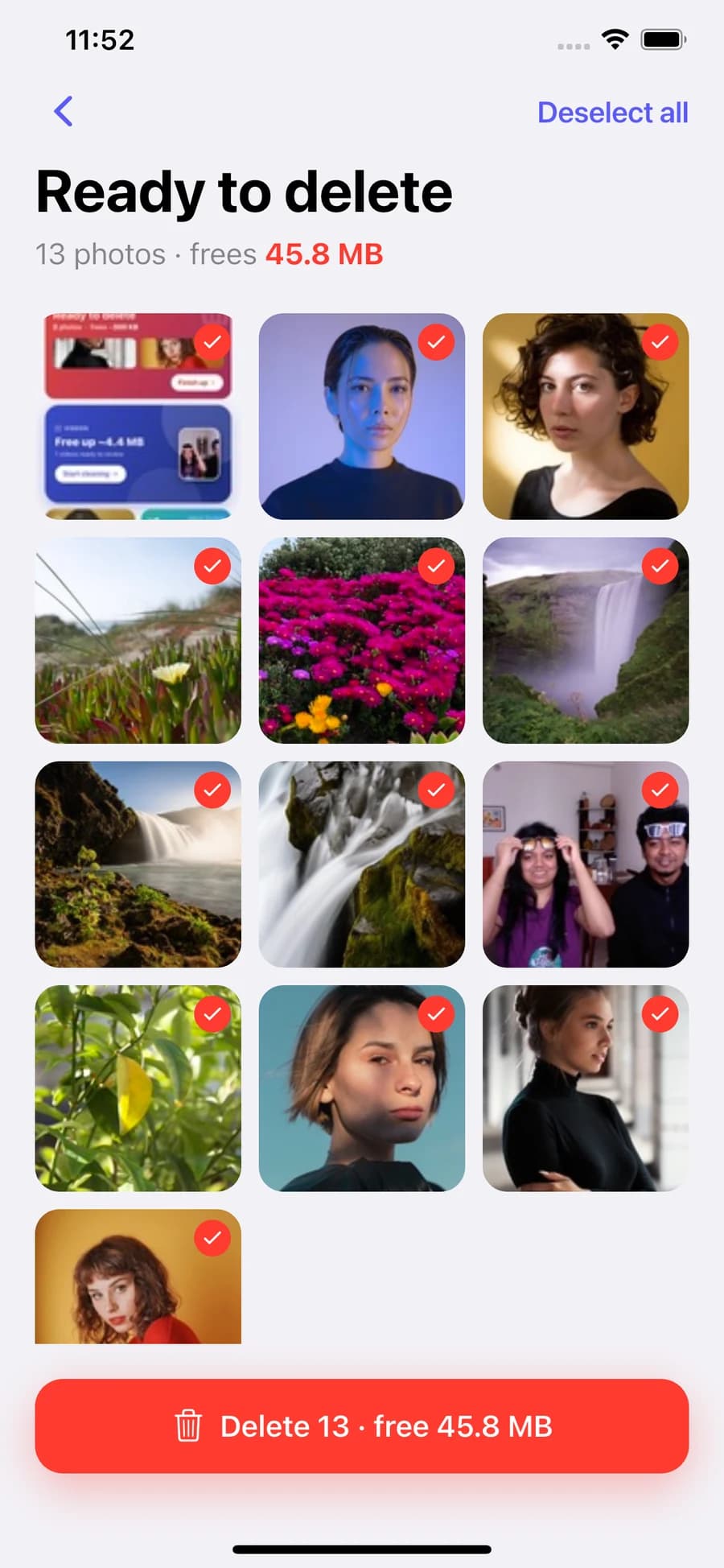
Nothing is deleted while you swipe. Your drops collect in a review grid where you can look at every one again and pull anything back out.
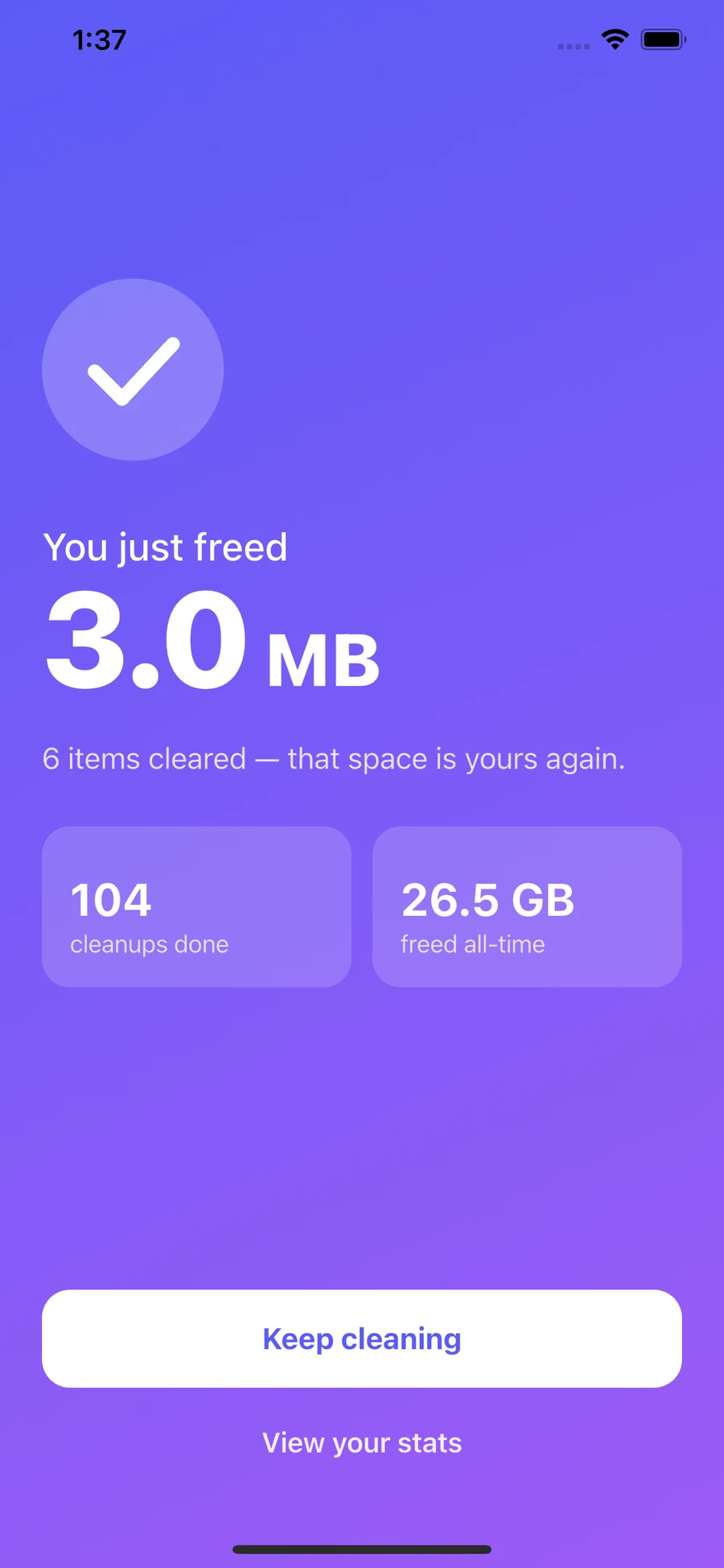
One confirmation clears the whole batch — a single system prompt instead of one per photo. On iPhone they land in Recently Deleted, so there's still a 30-day safety net.
Leave in the middle and nothing is lost. Half-finished decisions are saved on your device and waiting on the home screen when you come back — pick up where you left off, or keep them all and start over.
What it finds
SwipeDrop sorts your library into piles worth clearing, so you're never staring at 12,000 photos wondering where to start. Each one opens straight into a deck.
The same shot saved twice — shared back to you, re-downloaded, or burst-fired. Perceptual hashing catches them even when the files differ.
Eleven takes of the same moment. SwipeDrop groups them so you can keep the one you actually want and drop the rest.
The handful of files quietly eating gigabytes. Sorted biggest first, so a few swipes move the needle.
Usually the single biggest thing in a camera roll. Filter by size, length or 4K and clear the ones you'll never watch again.
Shots that came out soft, found by measuring actual image sharpness — not by guessing from the filename.
Receipts, memes, directions, that one Wi-Fi password. Useful for a day, then clutter forever.
Photos taken on today's date in past years. Look back, keep the best, let the rest go.
Everything from the last 20 days, while you still remember which one was the good one.
No plan, no pressure. Take a random pass through photos, videos, screenshots or Live Photos.
Plus albums, month-by-month browsing, and a “From apps” pile for everything WhatsApp, Instagram and Telegram saved to your roll without asking.
Under the hood
Most cleaners match on file size and date and call it a duplicate. SwipeDrop compares the images themselves — on your device, with no server in the loop.

Illustrative. The comparison itself never leaves your device — no image, no fingerprint, and no filename is sent anywhere.
Optimize
Some things you don't want to delete — you just want them to stop taking up gigabytes. Optimize shrinks them in place and leaves the moment intact.
Video compression
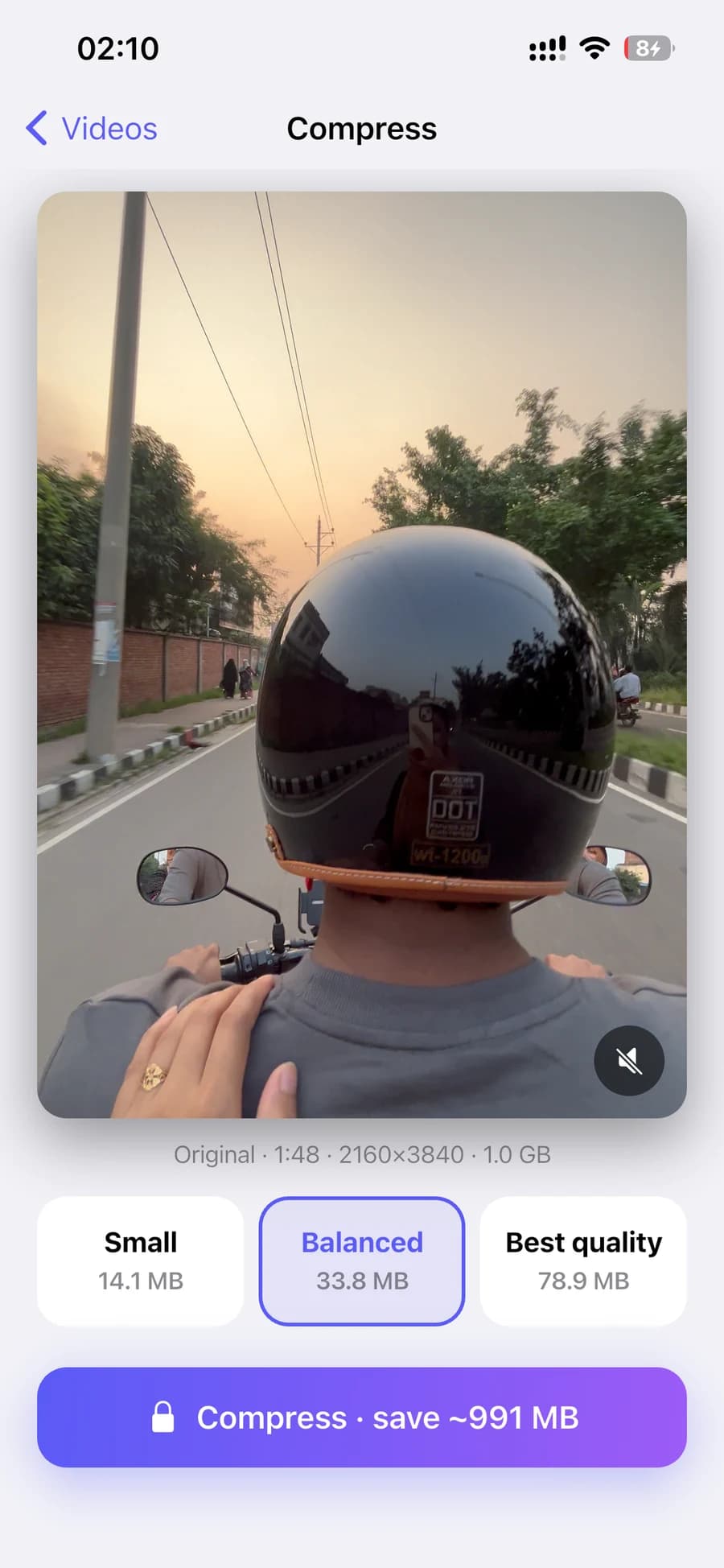
Videos are almost always the biggest thing in a camera roll. Pick Small, Balanced or Best quality, see the projected saving before you start, and watch the progress as it runs.
Original · 1:48 · 4K · 1.0 GB
Small
14.1 MB
Balanced
33.8 MB
Best
78.9 MB
Originals are replaced only after you approve the result.
Live Photos
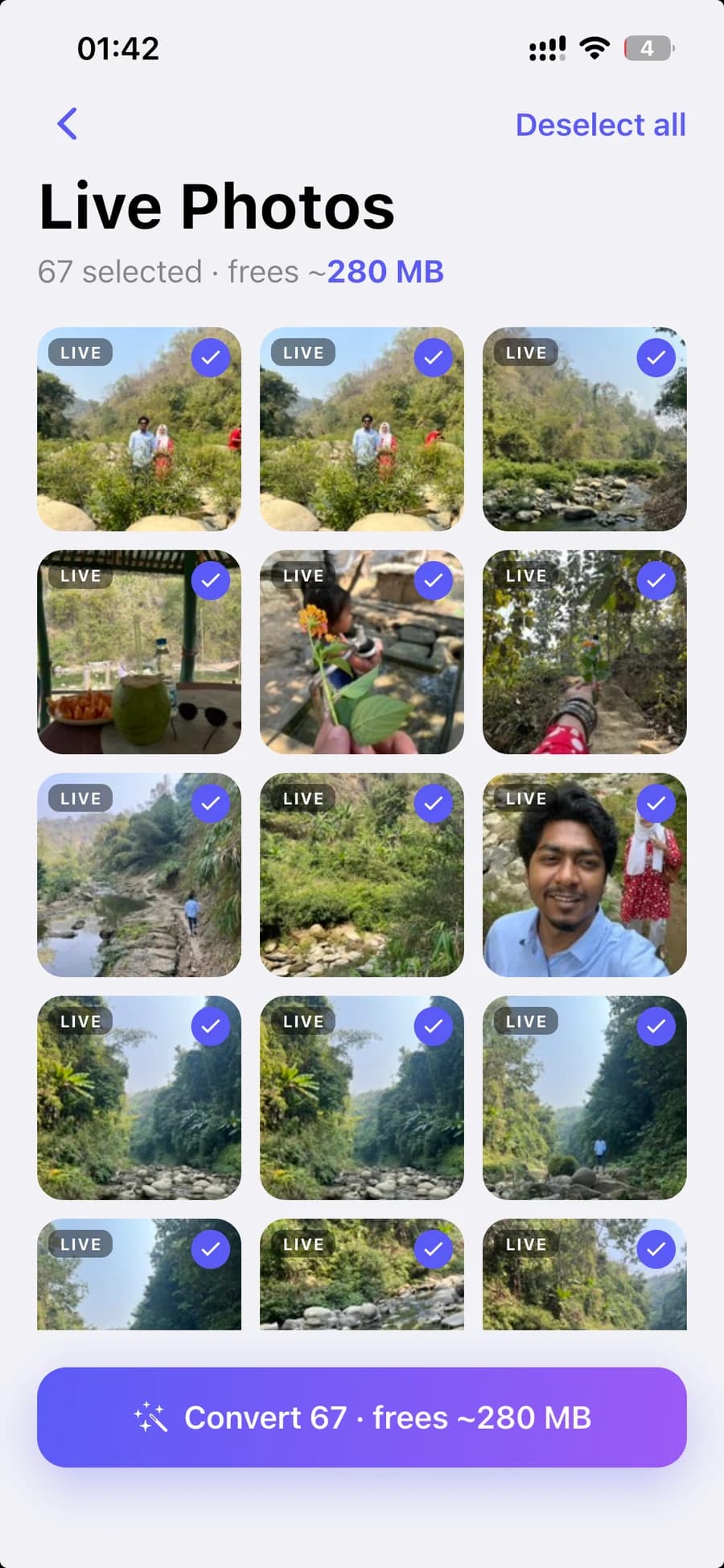
Every Live Photo carries three seconds of video you'll almost certainly never play. Convert a batch to stills and keep the frame you actually wanted.
67 selected · 3 seconds of video each
Kept
Full-res still
Dropped
~280 MB
The photo itself is untouched — only the motion clip goes.
That isn't a policy we promise to follow — it's how the app is built. SwipeDrop has no backend to send anything to. The only network connection it makes at all is to the app store's billing service, to check whether you have a subscription.
Fingerprinting, blur scoring, grouping — all of it runs locally on your device. There is no server doing the thinking.
You never sign up, and there is nowhere for your photos to go. Open the app and start; that's the whole flow.
No third-party analytics SDK, no advertising identifier, no behavioural profile. Nothing about how you use the app is collected.
On iPhone, everything you clear goes to Recently Deleted first. On Android you confirm every batch before it happens.
Progress
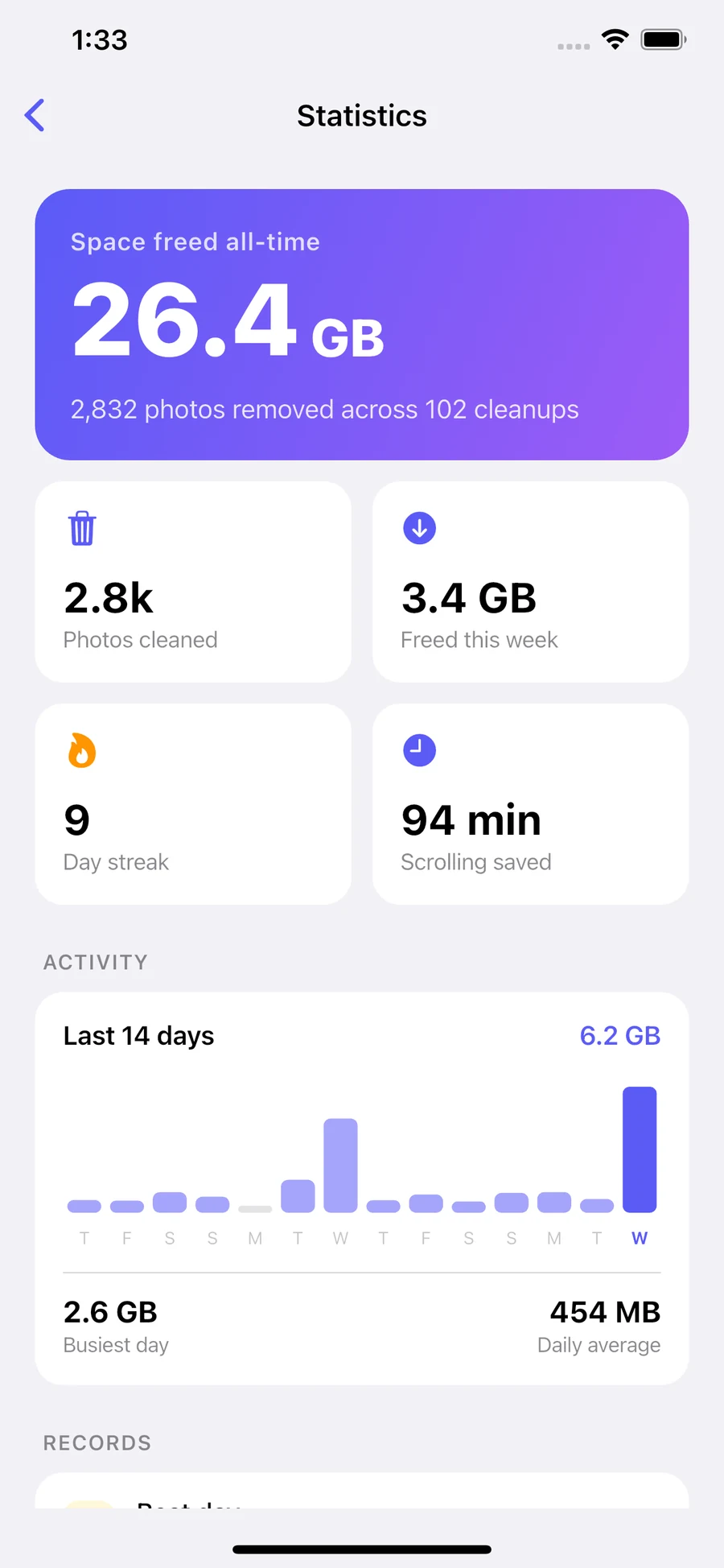
Twelve thousand photos is a wall. Ten minutes on the sofa is not. SwipeDrop keeps score so a stack of small sessions adds up to something visible.
Space freed, all time
The number that makes it worth it
Photos cleaned
Counted across every session
Day streak
Five minutes a day beats one heroic afternoon
Scrolling saved
Every photo you drop is one you never scroll past again
Your records outlive the photos: a 14-day activity chart, your best day, your biggest single cleanup, and a breakdown of exactly where the space came from.
Pricing
The free version is a real photo cleaner, not a demo — every detection pile is open to you from day one. Pro removes the daily ceiling and unlocks the space-saving tools.
Install and start swiping. No account, no card.
Unlimited swipes. Duplicates, blur and look-alikes, all on-device.
Weekly, monthly and yearly plans are shown in the app — pricing varies by region, so your store shows the exact amount before you confirm.
FAQ
Mostly variations on “am I going to lose my photos?” — which is the right thing to ask of anything that deletes for a living.
No. Swiping left doesn't delete anything — it puts the photo in a queue. Those photos wait on a review screen where you can see every one of them and pull any back out. Only when you tap the delete button does anything actually get removed, and your phone still asks you to confirm.
No. There is no server involved. Finding duplicates, scoring blur and grouping similar shots all happen on your phone. SwipeDrop has no account system and nowhere to upload to; its only network connection is to your app store's billing service to check whether you have a subscription.
On iPhone, deleted photos go to Recently Deleted in the Photos app and stay there for 30 days, so you can restore anything from there. On Android, you confirm each batch before it's removed, and photos go to your gallery's trash where your device supports one.
If you have iCloud Photos turned on, your library is synced across your devices, so a photo you delete on your phone is removed everywhere — exactly as it would be if you deleted it in the Photos app. It lands in Recently Deleted first, on every device, for 30 days.
It gives each photo a fingerprint based on the image itself, then compares those fingerprints. That's why it catches the same shot saved twice even when the two files have different names, sizes or formats. Photos that are close but not identical — the eleven takes of one moment — go into a separate Similar pile instead.
Yes. Every detection pile is available free, your first cleanup runs uninterrupted for up to 100 photos, and keeping photos is never limited. After that the free version has a daily delete allowance. Pro removes the limit and adds video compression and Live Photo conversion, with a 3-day free trial.
Yes. Because everything runs on your device, SwipeDrop works with no connection at all. You only need the internet to start or restore a subscription.
Your library is browsable within a couple of seconds — SwipeDrop reads the basics first and starts the deeper image analysis in the background. Duplicate and blur piles fill in behind you while you're already swiping through screenshots or large files.
iPhone and Android. It's the same app on both, with the platform's own delete behaviour respected on each.
No. SwipeDrop reads your albums so you can clean them one at a time, but it never creates, renames or reorganises them. The only change it makes to your library is removing the photos you chose to remove.
Something not covered here? Head to support.
Guides
Written to be useful whether or not you install anything — including the parts where the answer is a setting you already have.
Swipewipe is real, popular and does what it says. Whether it is worth paying for depends on three things its App Store listing will tell you in a minute.
Read itIf the ads are wearing you down or the subscription is more than you wanted to spend, here is what else does the job — and what each one gives you instead.
Read itBoth apps clean a camera roll by swiping. They differ on ads, on what the free tier limits, on what they can find, and on what their App Store privacy labels declare.
Read itThe two best-known swipe-to-delete photo apps, compared on the things that actually decide it — the free tier, the price, the detection, and what happens when you swipe left.
Read itTen minutes and a thumb. Start with the duplicates and see how much comes back.
Free to download · 3-day trial on Pro · Nothing leaves your phone